
No styles match your search. Try a different word.
Type your name, a heading or any short text in the box above, and this font generator shows it in every alphabet it holds, all at the same time. Scroll the letter charts, compare how each font handles your exact words, then tap a style to copy it. There is nothing to download and nothing to install, and every font on this page is free.
A font generator is an online tool that converts your normal text into copy and paste fonts. Each style is a set of real Unicode characters that look like a different font, so the styled text pastes into social apps, documents and games that have no font menu.
Every alphabet laid out like a specimen sheet
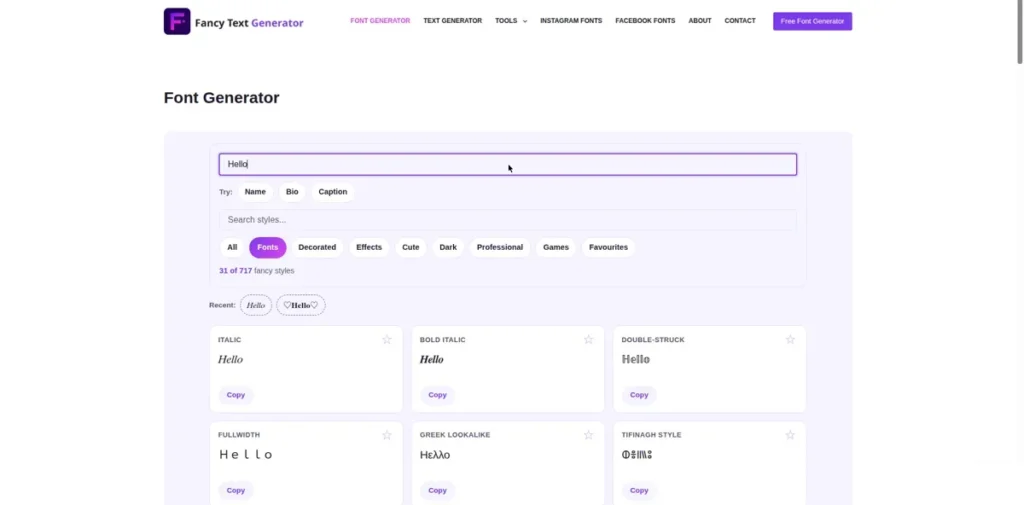
Think of this page as a specimen sheet, the printed chart designers once used to judge a typeface before buying it. Every alphabet appears in full, capital A to Z and small a to z, so you can study the letter shapes before you commit to one.
That matters because fonts rarely fail on common letters. They fail on the one odd letter in your name, a wide capital W, a Q with a long tail, or a small g that turns into a blob at small sizes. Type the real word you plan to use and the chart shows exactly those letters, not a sample sentence written for somebody else.
The preview presets help you judge at the right size. Headline shows your text big, the way a title reads. Username shrinks it to profile size, where thin strokes either survive or fall apart. If you would rather browse by looks than by charts, the fancy fonts with the prettiest letter designs page lines the same alphabets up as a big preview gallery.
Which fonts come with numbers, and which stop at letters
Digits are the first surprise on this page. The Unicode blocks behind bold, monospace, double-struck and sans serif bold include a matching set of numbers, like 𝟎𝟏𝟐𝟑𝟒𝟓𝟔𝟕𝟖𝟗, so prices, years and scores can stay in one style from start to finish.
Script, fraktur and italic alphabets were defined for letters only. When a font has no digit of its own, the number you typed stays in its normal shape, which is why a styled date can look like two fonts mixed together on the same line.
A handful of letters work the same way. In fraktur, a few capitals, among them C, H, I, M and R, were already drawn in an older symbol block years earlier, so the tool borrows those original characters. They are genuine Unicode, they just carry a slightly older cut than their neighbours.
Before you copy, scan your result for plain looking characters hiding inside it. One normal digit or letter usually means that alphabet never had that character, not that the tool made a mistake.
Why these fonts are not files you download
A downloaded font is a file, usually ending in .ttf or .otf, that you install on a device so your own apps can draw letters with it. Nothing on this page is a file like that, and your phone never installs anything while you use it.
Instead, each style swaps your letters for look-alike characters that Unicode already defines. The official Unicode character charts list every one of them, block by block, which is how you can check for yourself that a style here is a real character set and not a trick image.
Because the result is plain text, it travels. The same styled word can sit in a Word document in the morning and in a game name at night, something an installed font could never do, since the other device would need the file too.
The decorated and effect variations of these same alphabets live on the fancy text generator with all 717 styles in one place, where the full engine mixes fonts with frames, symbols and effects.
Picking the right font for the job
Start with where the text will live. A heading can carry a detailed alphabet like fraktur or bubble, because readers see it large and only for a second or two.
A username or a line inside a post needs the opposite: clean strokes that stay clear at small sizes. That is where the bold text generator for strong headings earns its place, since its heavy alphabets stay readable even on small phone screens.
For signatures, invites and anything romantic, flowing letters beat blocky ones, and the cursive text generator for script and handwriting styles collects every script alphabet in one place with bigger previews for judging the curves.
Whatever you pick, read your exact text once at the size it will appear. And when your text runs to whole sentences rather than a word or two, switch to the text generator when you want whole sentences styled, which is laid out for lines and paragraphs instead of single words.
Where these fonts work, and the honest limits
In documents, styled text pastes into Word and Google Docs as normal editable text. The program may draw it with a backup font, so the weight can shift a little on screen while the characters themselves stay exactly the same.
Design apps handle pasted characters in their own way. In a tool like Canva you paste into a normal text box rather than choosing a font from its menu.
Social apps accept these characters in posts and comments, and the facebook fonts that work in posts and comments page maps exactly which Facebook fields take them and which ones refuse.
One more honest note: search boxes and official forms often expect plain letters. Keep styled fonts for display text, names and creative work, and keep legal names, emails and ID fields plain.
Frequently asked questions
Short answers to the questions readers ask most about copy and paste fonts.
Are copy and paste fonts safe to use in my accounts and documents?
Yes, in the sense that matters most: these are standard Unicode text characters, the same kind of text as the letters in this sentence. They do not carry code, they cannot install anything, and they do not change your account settings. The real risks are practical, not technical. A name field that only allows plain letters may reject them, and some readers find heavy styles hard to read, so save them for display text.
Why do some fonts in the list have no numbers or missing letters?
Because Unicode never drew them. Each copy and paste font is a fixed character set agreed years ago, and some sets were made for letters alone. Script and fraktur alphabets, for example, have no digits in their blocks, so your numbers stay in their normal shape. This page shows the full chart for every font, so you can spot a letters only alphabet before you copy it, not after.
Can I use these fonts in Word, Canva and design apps?
In Word and Google Docs, yes: the styled text pastes as real, editable text, though the program may display it with a fallback font that changes the look slightly. In design apps like Canva you paste into a normal text box rather than setting a font, and most characters carry across. What you cannot do is restyle the pasted text with the app’s own font menu, because the style lives in the characters themselves.
What is the difference between a font generator and a font download site?
A font download site gives you a font file to install on your own computer, and only apps on that computer can use it. A font generator gives you finished text built from Unicode characters, ready to paste into apps and websites you do not control, like a game or a social profile. Download sites suit design work saved on one machine. Generators suit text that has to travel.